Skip to content
View in the app

A better way to browse. Learn more.

theFMU

A full-screen app on your home screen with push notifications, badges and more.

To install this app on iOS and iPadOS
  1. Tap the Share icon in Safari
  2. Scroll the menu and tap Add to Home Screen.
  3. Tap Add in the top-right corner.
To install this app on Android
  1. Tap the 3-dot menu (⋮) in the top-right corner of the browser.
  2. Tap Add to Home screen or Install app.
  3. Confirm by tapping Install.

emirun

Kulüp Üyesi
  • Katılım

  • Son ziyaret

emirun tarafından gönderilen her şey

  1. emirun, emirun kullanıcısının şuradaki içeriğini yanıtladı: FM26 Yardım Bölümü
    Hojam çok tesekkur ederim simdilik girdi sayende 2k kara gectik saolasin
  2. emirun, emirun kullanıcısının şuradaki içeriğini yanıtladı: FM26 Yardım Bölümü
    Direk Loading ekranda alıyorum oyuna giremiyorum bile
  3. emirun şurada bir gönderi paylaştı: FM26 Yardım Bölümü
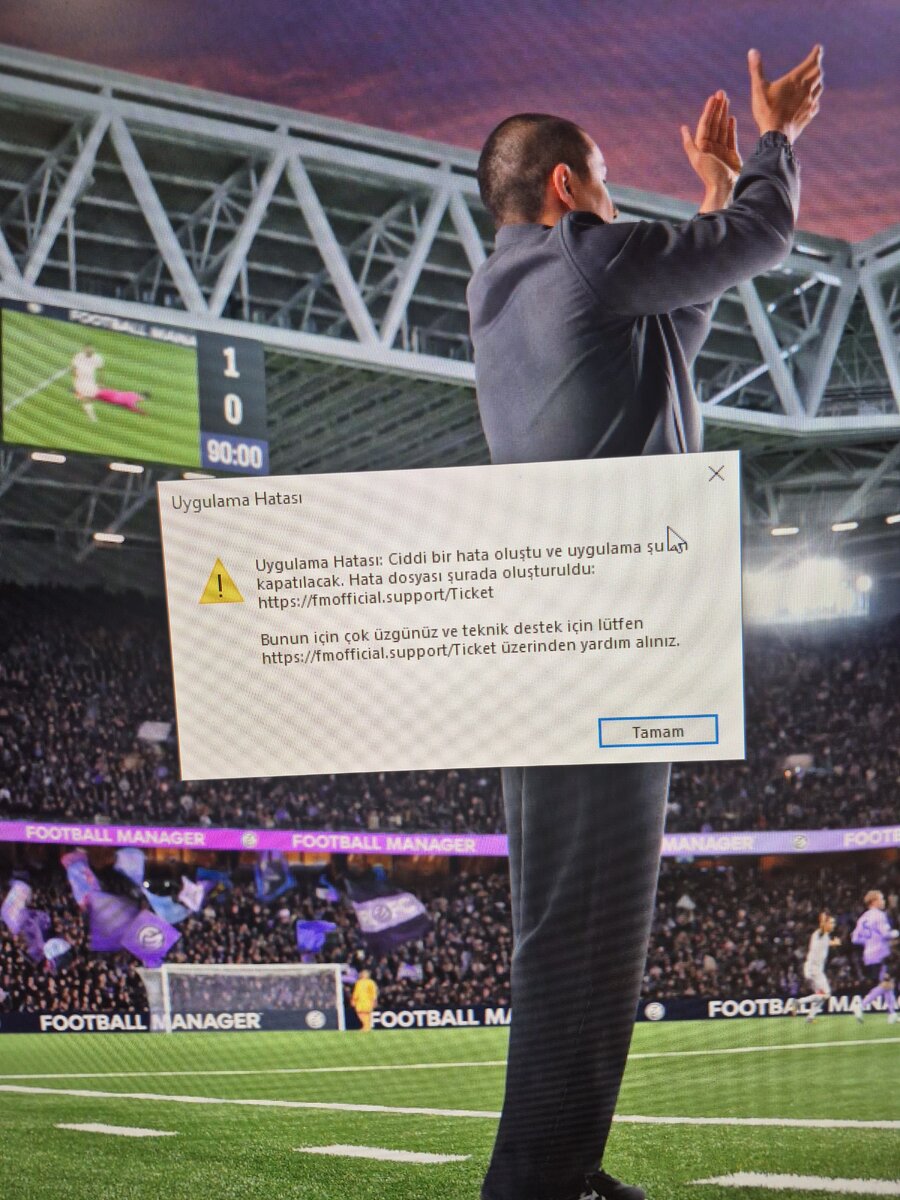
    xbox gamepass üzerinden oynuyorum bu hatayı alıyorum epıc yada steamdan almayı dusunuyorum ama aynı hatayı alacaksam bosa para harcamak ıstemıyorum

Account

Navigasyon

Arama

Arama

Tarayıcı anlık bildirimlerini yönet

Chrome (Android)
  1. Tap the lock icon next to the address bar.
  2. Tap Permissions → Notifications.
  3. Adjust your preference.
Chrome (Desktop)
  1. Click the padlock icon in the address bar.
  2. Select Site settings.
  3. Find Notifications and adjust your preference.